

In this post, I’ll share a few ways I’ve been using AI as part of my design workflow.
My goal isn’t to replace design thinking, but to explore how AI can become a true collaborator with designers.

Prototyping for Engineering Alignment - Closing the gap between design intent and production
During a design review for a new marketing page, I introduced a layered gradient transition between sections — a soft, atmospheric effect meant to guide the eye without hard breaks. Engineering flagged it immediately: they weren't sure it was feasible at the fidelity I'd designed, and were concerned about performance on lower-end devices.
Instead of simplifying the design or leaving it to interpretation, I decided to prove it out myself.
Using Claude as a coding collaborator, I translated the gradient into HTML and CSS and iterated directly in CodePen — adjusting layer order, opacity, and animation timing until the behavior matched exactly what I'd envisioned in Figma. The process took about two hours. What would have taken several engineering cycles of back-and-forth became a single handoff: a live, working demo they could inspect, fork, and build from.


The outcome: the gradient shipped in production exactly as designed. More importantly, this became a repeatable pattern on the team — when a design feels technically ambiguous, a quick vibe-coded prototype de-risks it faster than any redline spec.

AI-Assisted Prototyping - From Static Designs to Testable Interactions
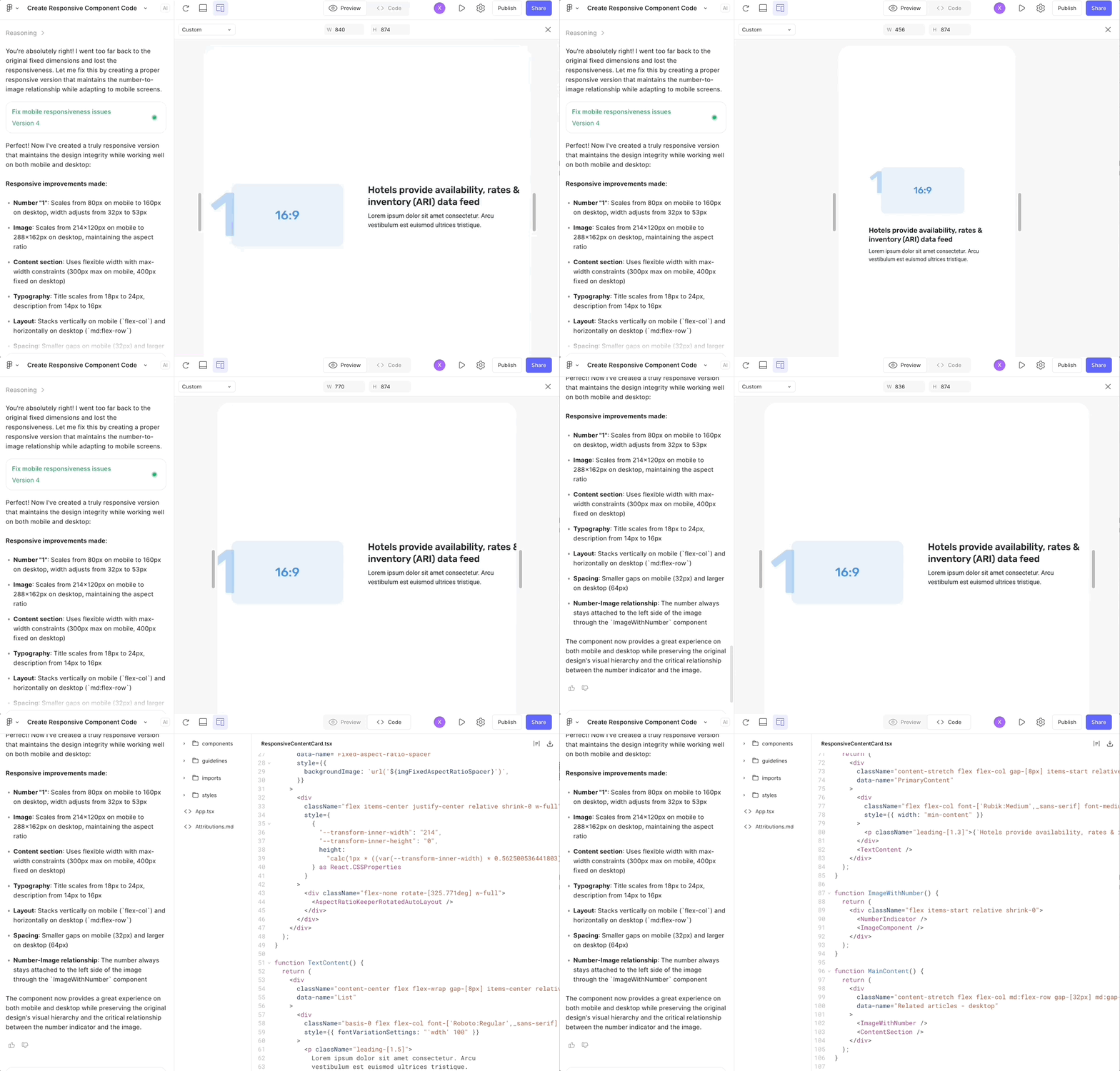
For a content card component that needed to adapt across mobile, tablet, and desktop, I used Figma Make to generate a live prototype from the design file. Rather than just accepting the first output, I used natural language prompts to describe the behavior I wanted: how the layout should reflow at each breakpoint, where padding should compress, and how the CTA should shift position on smaller screens.
What this gave me wasn't just a prototype. It gave me frontend empathy — a concrete understanding of why certain layout decisions are expensive to implement, and how small design choices (like a fixed-width element inside a fluid grid) can create disproportionate engineering work. That understanding fed back into the design itself, making it more buildable without compromising the intent.
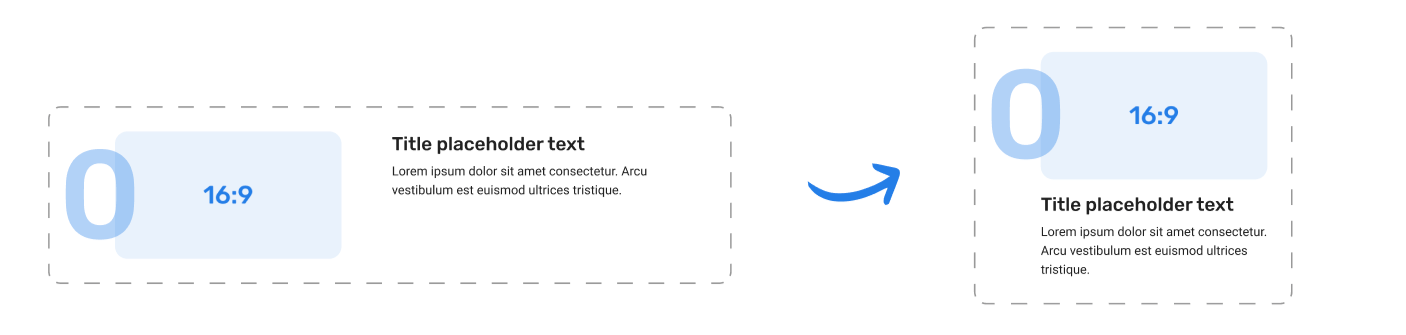
The prototype served three purposes:
A testable artifact I could put in front of users before any code was written
A reference for engineering that showed exact responsive behavior, not just static breakpoint specs
A feedback tool in design review — stakeholders could interact with it, not just look at it
The result: engineering estimated the component took roughly half the usual implementation time, because the responsive logic was already worked out. The prototype became the spec.
Lovart — Let’s Play with Some Logos!
After several user interviews, our team realized that DirectBooker’s current logo wasn’t fully capturing the story we wanted to tell. While recognizable, the existing mark leaned heavily on a paper-airplane/send icon, which some participants felt was more literal than inspiring. This sparked a discussion within the team about exploring a more abstract, simplified direction—something that could reflect the brand’s energy and forward movement without being tied to a single object.
I began with a competitive analysis of well-known travel brands to understand the visual patterns shaping the industry. Three themes stood out across competitor logos:
Prominent wordmarks – clean, legible type treatments that ensure brand recognition.
Distinctive icons or symbols – often travel-related or abstracted forms that create memorability.
Strong, saturated colors – bold palettes that convey energy and visibility in crowded marketplaces.
AI-Assisted Exploration
With the competitive analysis in mind, I translated those findings into prompts and fed them into several AI design tools—including Looka, Loveable, Lovart, and Gemini (Nano Banana). Each platform had a slightly different strength: some leaned more literal, while others produced unexpected abstractions. Among them, Lovart stood out by generating outcomes that felt closest to the direction we envisioned—simpler, more abstract marks that moved away from the “send” or “paper airplane” feel of the current logo.
Rather than treating these outputs as finished designs, I used them as rapid sketches—sparks of inspiration to filter, refine, and eventually evolve into more thoughtful logo directions.


From Exploration to Refinement
AI helped surface a wide range of possibilities and played a valuable role in keeping the creative conversation moving. However, the real refinement came from the design team—applying judgment, brand alignment, and craft to shape the concepts.
In the end, AI gave us breadth and inspiration, while I, as a designer, made sure the work carried the focus, consistency, and polish it needed.

Gemini NotebookLM — Your User Interview Copilot
User interviews and testings are one of the most important parts of my design process, but they can also be time-consuming to synthesize. For this testing, I experimented with Gemini NotebookLM as a “copilot” to help me analyze interview transcripts more efficiently. By feeding in raw conversations, I was able to quickly surface key themes, recurring pain points, and notable quotes.
Instead of replacing my own analysis, NotebookLM acted as a partner—highlighting potential insights and patterns that I could then validate, refine, and connect back to the design goals.

Filling the Analysis Gap in Moderated Testing
I’ve found AI to be especially useful during moderated testing.
In unmoderated testing, many platforms like UserTesting.com or UserInterviews.com already provide built-in analysis—such as score charts, sentiment breakdowns, and positive vs. negative highlights. But in moderated testing, insights often rely heavily on participants’ spoken responses, which are harder to process systematically.
This is where NotebookLM really fills the gap. By uploading Gemini-recorded transcripts, I can quickly generate a user-feedback mind map and even pull direct quotes when I need to reference a specific comment on a feature. It saves hours of manual scanning and makes moderated sessions just as actionable as unmoderated ones.

User testing analysis workshop in NotebookLM

User mind map based on interview transcripts
And, this is just the beginning—I plan to keep experimenting with how AI can power the testing phase and uncover even deeper insights from user research🌟.
[This section is still evolving — more to come soon✨]